People use the words "cloud infrastructure" so often that they barely mean anything anymore. Most of my workdays are spent looking after AWS infrastructure for a live recruitment platform, so here's the plain-language version: what it is, what it actually gives you, and when it's the right choice instead of just the easy one.
What cloud infrastructure really means
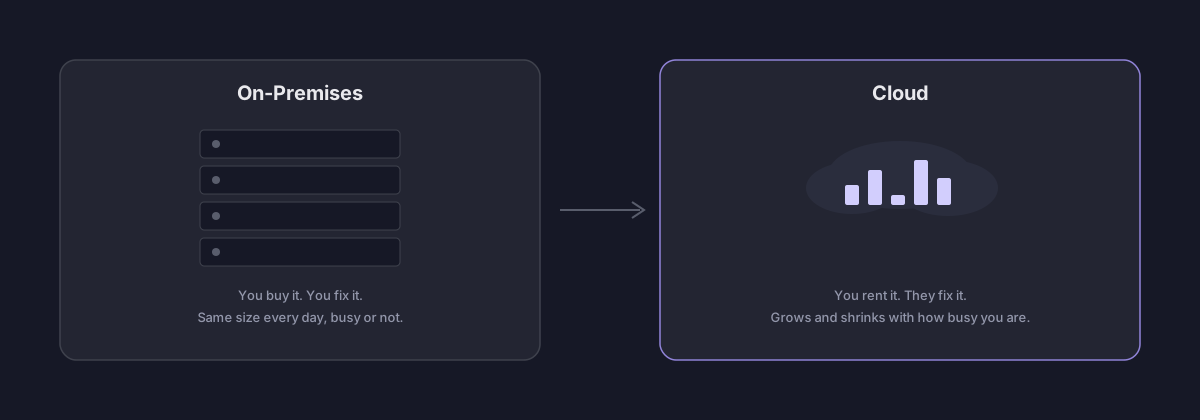
Think of it like renting a car instead of buying one. You don't own the car. You don't fix it when it breaks. You only pay for the days you drive it. Cloud infrastructure works the same way, but instead of a car, you're renting computers, storage space, and network connections from a big company like AWS, Azure, or Google Cloud.
The old way was to buy your own servers, put them in a room, and take care of them yourself — even on days nobody used them. The cloud way is to click a few buttons and get exactly what you need, right when you need it.
The four basic building blocks
Almost everything a cloud company sells is one of these four things:
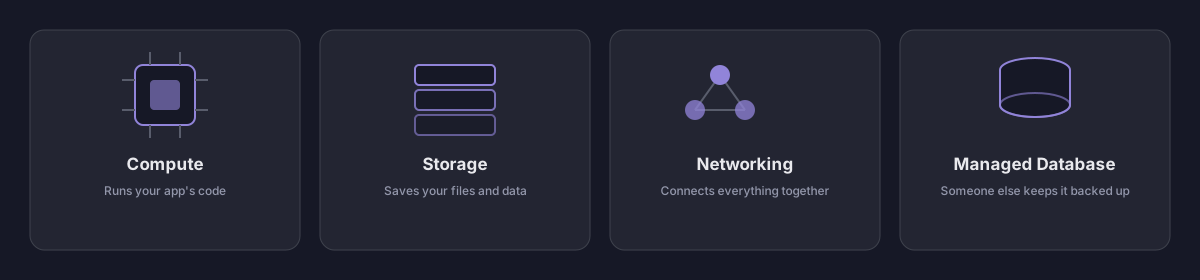
- Compute — the computer that actually runs your app's code. It can be a full virtual computer (EC2), a smaller boxed-up version called a container (ECS), or something that only turns on when it's needed (Lambda).
- Storage — the place where your files and data get saved, like a hard drive you don't have to manage yourself (S3, EBS).
- Networking — the roads that connect everything: how visitors reach your website, and how your different services talk to each other (Route 53, CloudFront).
- Managed database — a database that someone else takes care of for you. They handle the backups, the updates, and fixing it when something goes wrong (RDS).
The real benefits
More visitors doesn't mean buying new machines
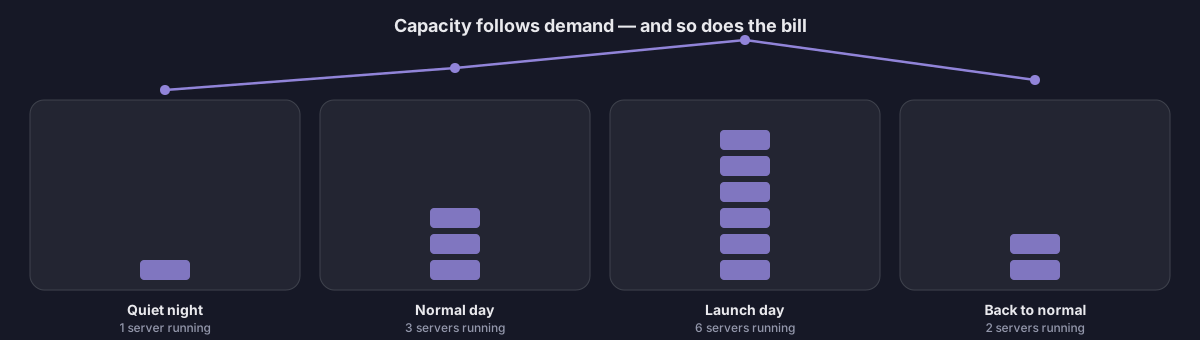
If your website suddenly gets ten times more visitors, you don't need to order new hardware and wait weeks for it to show up. You just turn up a setting, and you have more power in minutes. That's the biggest practical difference from running your own servers.
You only pay for what you use
It works a bit like an electricity bill instead of building your own power plant. Your own servers have to be big enough for your busiest day, so they sit half-idle the rest of the time — and you paid for all of it anyway. With the cloud, your bill goes up and down with how much you actually use.
Your site stays up even when something breaks
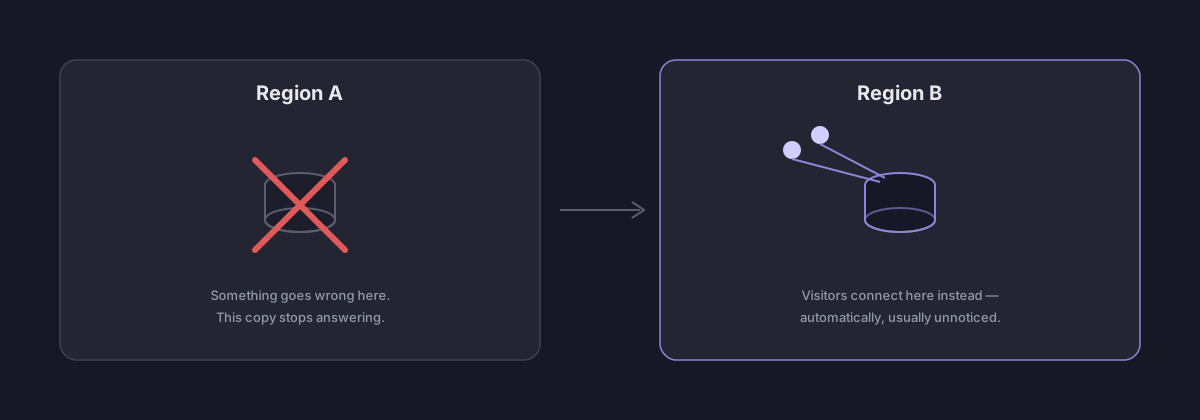
Cloud companies keep copies of your data in more than one place. If one location has a problem, another one takes over automatically, usually without anyone noticing. A small team gets this kind of safety net for free — building it yourself would take years and a much bigger team.
Less boring work for your team
Someone still has to install security updates, take backups, and fix things that break. With managed services, that someone is the cloud provider, not your engineers. That frees your team up to spend their time building the product instead of keeping the lights on.
Why teams actually move to the cloud
All of the benefits above boil down to one idea: it turns a big, risky, hard-to-undo decision (buy servers, build a server room) into a small, safe, easy-to-undo one (turn a service on, turn it off if it doesn't work out). That's why it's the default choice for new projects, startups, and any team too small to run its own server room — if you guess wrong, it barely costs you anything to change your mind.
When you should — and shouldn't — use it
Use it when: you're not sure how big your project will grow, you need to reach people in different countries, your team is small, or getting something out the door fast matters more than squeezing out every last dollar of savings.
Think twice when: you already have a huge, steady, predictable amount of traffic every single day — at that scale, some companies have actually saved money by moving off the cloud and back onto their own hardware. Also think twice when strict rules say exactly which country your data has to sit in, when you need responses faster than a shared cloud region can give you, or when nobody on the team is keeping an eye on the bill — cloud costs can climb just as easily as they can shrink.
A real example
This website is the simplest possible proof of the idea: a plain, static site sitting in a private storage bucket (S3), served through a global delivery network (CloudFront), with a free security certificate (ACM) and a domain name pointed at it (Route 53). No server to patch, no fixed monthly bill, and it costs pennies at this amount of traffic. I wrote up the exact steps in the previous post if you want to try it yourself.
If you're new to all this and want to learn the basic words and ideas before opening a cloud provider's dashboard for the first time, the AWS Certified Cloud Practitioner study guide is a good place to start — it covers exactly the ideas in this post, at the depth a beginner actually needs.
Check price on Amazon →The short version
Cloud infrastructure isn't automatically cheaper, faster, or better. It's just a different set of tradeoffs — and those tradeoffs happen to work in favor of almost every team that isn't running a huge, steady, predictable workload. Figure out which side of that line your project is on before you pick it just because it's the default.